Querying HLS using the HLS STAC Geoparquet Archive
Authors: Henry Rodman
Date: January 5, 2025
Description: Learn how to query MAAP’s HLS STAC Geoparquet Archive to get STAC item metadata for the HLS L30 and S30 collections.
Running this tutorial
To query the HLS STAC Geoparquet Archive you only need the rustac python package and AWS credentials for an account with ListBucket privileges on the nasa-maap-data-store bucket in S3.
This tutorial also uses the maap python package to obtain S3 credentials for direct S3 access to the HLS cloud-optimized geotiffs. To use that functionality you will need to run it in AWS us-west-2 region and have the MAAP_PGT environment variable set with your MAAP PGT token.
All of these requirements are satisfied in the MAAP Hub and the DPS worker environments.
Background
The HLS STAC Geoparquet Archive is an unofficial archive of the HLS 2.0 granule STAC item metadata. It contains the STAC items that are generated as part of the HLS processing pipeline. The archive is produced and maintained by MAAP and is a non-rate-limited alternative to the CMR STAC API for users who need to access high volumes of HLS STAC records.
The data are stored in two hive-partitioned parquet datasets (one per collection, partitioned by year and month). The parquet files are generated monthly from CMR API Granule queries on the 15th of the following month (e.g. October 2025 files are generated on November 15 2025).
Warning: This archive is not guaranteed to contain all of the records available in CMR
The parquet files can be accessed from the nasa-maap-data-store bucket in AWS S3 (us-west-2):
s3://nasa-maap-data-store/file-staging/nasa-map/hls-stac-geoparquet-archive/v2/{collection}/year={year}/month={month}/{collection}-{year}-{month}.parquet
where collection is either HLSL30_2.0 (Landsat) or HLSS30_2.0 (Sentinel-2).
The rustac package can be used to query the archive via the DuckdbClient interface. To use this approach your environment must be configured with AWS credentials that provide ListBucket access to the nasa-maap-data-store bucket in S3 (the following example will work in the MAAP Hub).
Note: The HLSL30_2.0 and HLSS30_2.0 collections must be queried separately because the STAC items have slightly different parquet schemas.
Example DPS algorithms that use the HLS STAC Geoparquet Archive:
HLS Point Time Series: extract HLS values for a set of provided point locations
HLS Cloud-Free Temporal Mosaic: generate cloud-free temporal mosaics (median value after masking bad pixels)
Query example
[ ]:
from datetime import datetime, timedelta, UTC

from rustac import DuckdbClient
Configure duckdb to read from S3
rustac uses duckdb to query the parquet files in S3 but you have to help duckdb find your AWS credentials in order to make that possible.
On the MAAP Hub you can use boto3 to load AWS credentials and pass the values to duckdb directly.
[ ]:
import boto3

client = DuckdbClient(use_hive_partitioning=True)

aws_session = boto3.Session()
creds = aws_session.get_credentials().get_frozen_credentials()

client.execute(
    f"""
    CREATE OR REPLACE SECRET secret (
        TYPE S3,
        REGION '{aws_session.region_name}',
        KEY_ID '{creds.access_key}',
        SECRET '{creds.secret_key}',
        SESSION_TOKEN '{creds.token}'
    );
    """
)
In a DPS algorithm or in the MAAP ADE you can use this simpler approach that does not require you to load credentials using boto3:
client.execute(
    f"""
    CREATE OR REPLACE SECRET secret (
        TYPE S3,
        PROVIDER credential_chain
    );
    """
)
Run a STAC query
To search the HLS STAC Geoparquet Archive use the following S3 URI pattern with the collection populated (either HLSL30_2.0 or HLSS30_2.0). See the rustac duckdb client docs for all of the possible search parameters.
[2]:
parquet_href = "s3://nasa-maap-data-store/file-staging/nasa-map/hls-stac-geoparquet-archive/v2/{collection}/**/*.parquet"

start_datetime = datetime(2025, 5, 1, tzinfo=UTC)
end_datetime = datetime(2025, 6, 1, tzinfo=UTC) - timedelta(seconds=1)

bbox = (-90, 45, -85, 50)

hls_l30_items = client.search(
    href=parquet_href.format(collection="HLSL30_2.0"),
    datetime="/".join(dt.isoformat() for dt in [start_datetime, end_datetime]),
    bbox=bbox,
)
print(f"found {len(hls_l30_items)} HLSL30_2.0 items")

hls_s30_items = client.search(
    href=parquet_href.format(collection="HLSS30_2.0"),
    datetime="/".join(dt.isoformat() for dt in [start_datetime, end_datetime]),
    bbox=bbox,
)
print(f"found {len(hls_s30_items)} HLSS30_2.0 items")
found 289 HLSL30_2.0 items
found 394 HLSS30_2.0 items
The resulting STAC items can be used to get the hrefs for the actual COG assets in the HLS collection.
Direct S3 access to COGs
The hrefs provided in these STAC items are https urls, but if you are going to be reading the data in the AWS us-west-2 region, you should convert these hrefs to s3:// urls then configure your code to read the files directly from S3 using credentials provided by LPDAAC. This will improve the performance and stability of any large-scale data access pipeline.
The https urls can be converted to s3:// urls with a simple str.replace call:
[3]:
import json

URL_PREFIX = "https://data.lpdaac.earthdatacloud.nasa.gov/"

for item in hls_l30_items:
    for key, asset in item["assets"].items():
        if asset["href"].endswith(".tif"):
            asset["href"] = asset["href"].replace(URL_PREFIX, "s3://")

print(json.dumps(hls_l30_items[0]["assets"]["Fmask"], indent=2))
{
  "href": "s3://lp-prod-protected/HLSL30.020/HLS.L30.T15TYK.2025126T164620.v2.0/HLS.L30.T15TYK.2025126T164620.v2.0.Fmask.tif",
  "type": "image/tiff; application=geotiff; profile=cloud-optimized",
  "roles": [
    "data"
  ],
  "eo:bands": [
    {
      "name": "Fmask"
    }
  ]
}
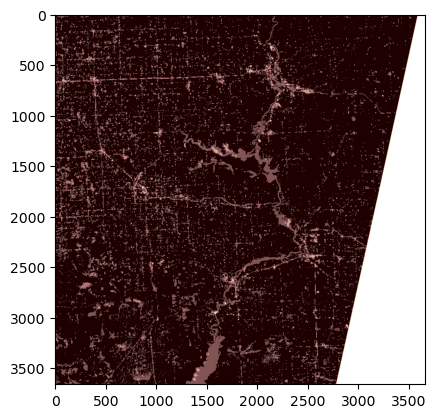
Then to read the file directly from S3 you need to request S3 credentials for the LPDAAC bucket and provide them to rasterio via AWSSession:
[5]:
import rasterio
from maap.maap import MAAP
from matplotlib import pyplot
from rasterio.session import AWSSession

maap = MAAP("api.maap-project.org")

creds = maap.aws.earthdata_s3_credentials(
    "https://data.lpdaac.earthdatacloud.nasa.gov/s3credentials"
)

session = AWSSession(
    aws_access_key_id=creds["accessKeyId"],
    aws_secret_access_key=creds["secretAccessKey"],
    aws_session_token=creds["sessionToken"],
    region_name="us-west-2",
)

url = hls_l30_items[0]["assets"]["Fmask"]["href"]
with rasterio.Env(session=session):
    with rasterio.open(url) as src:
        pyplot.imshow(src.read(1), cmap="pink")